-Krita
(Download)or
GIMP
(Download)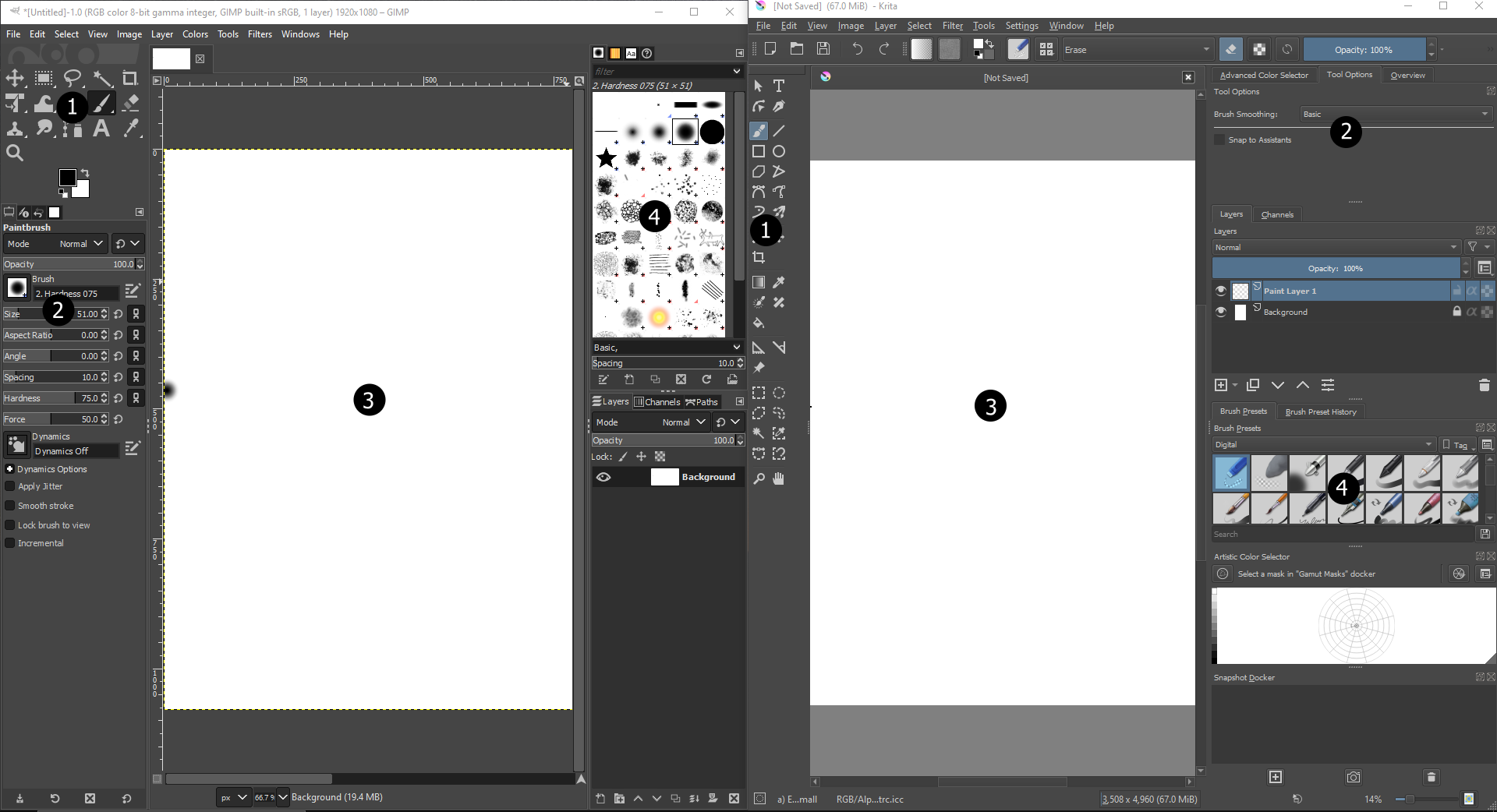
- Here you can select what tool you want to use. You can select a brush or bucket.
- Here you can change the settings of your tools. You can also pick your brush color here.
- Here you will draw your game art. It is equivalent to the paper in real life.
- Here you can select what brushes you'd like to use for drawing.
Here you'll learn how to program your game in a game engine.
Here you'll learn how to create sound effects and music for your game.